 djEnterprises.ai
djEnterprises.ai
djEnterprises.ai
Sound
The same scores, five readings — recital piano, a cathedral organ, then three club floors: disco, techno and the EDM remix. S switches too.
Playback
Each score performs for about three minutes, then the programme moves on — or repeats, or surprises you.
Your music
Your file is decoded and analysed on your device — nothing is uploaded. A full player appears on the stage — play, pause, skip ten seconds either way, and scrub anywhere in the song. The fluid reads the spectrum live: bass throws the jets, treble sparkles, and the rest lands where the pitch says. MP3, M4A/AAC, WAV, FLAC and OGG work; WMA does not — no browser decodes it.
Colours
Auto rotates the palette every few seconds; picking one pins it (1–5 works too).
Backdrop
Controls
The panel steps aside five seconds after you stop touching it, so the simulation has the whole screen. Any touch brings it straight back. Switch this off to keep the controls on screen the whole time.
Names show at curtain-up, then fade (N any time). Auto zoom breathes through the system on its own. Tilt starts flat — switch it on here or with the button beside the gear, and the view sweeps between bird's-eye and a low three-quarter view too. Touching a slider, pinching or scrolling takes the wheel.
Feel
The phone taps along with the music — the beat in your hand, not just your ears. Turn it off for silent listening; everything else plays on.
App
A clip records the stage exactly as you see it — the fluid, the orrery and the music together, up to two minutes — and saves a video file to this device.
djEnterprises.ai
djEnterprises.ai
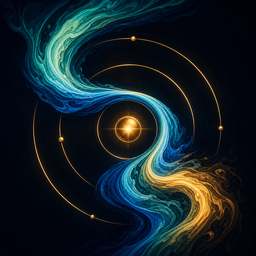
Classical music, played by a fluid simulation
Click anywhere to begin · drag the fluid while it plays

Stir the stage with your cursor.
djEnterprises.ai
A fluid simulation and a classical performance, both generated in this browser tab, wired to the same clock — over a live model of the solar system. Nothing here is pre-rendered: no audio files, no video, no libraries, and no fonts fetched at runtime. The only images the page loads are the djEnterprises mark and the app icon on the opening screen.
Ten scores — seven from the public-domain canon, three djEnterprises originals — played on a piano that is synthesized from scratch every time you press play — a fundamental plus four slightly sharp partials, each dying faster than the one below it, a hammer thud on the attack, and a small synthesized hall around it. The left hand plays the harmony: a rolled broken chord under Für Elise, hymn blocks under the Ode, bass octaves under the Presto.
Five readings. Every score can be played five ways. Two concert rooms: the piano recital, and the cathedral organ — drawbar pipes under a slow shimmer in a big hall (it keeps its timpani, because cathedrals have thunder). And three club floors on the same kit skeleton, each with its own bassline: disco (the octave-bounce bass, handclaps on two and four, string stabs on one and three, piano up front); techno (a relentless driving bass, sixteenth-note hats, and an acid lead — one saw through a screaming resonant filter that sweeps shut over every note); and the EDM remix (the classic offbeat pump, claps, sidechain ducking). Tap the ⚡ SOUND pill in the bar, press S, or pick from the settings gear.
The three figuration tracks (Bach, the Moonlight Presto, Trepak) are engines playing each piece's characteristic pattern over its harmony, not transcriptions of the printed score. The others carry the actual theme. Everything here is public domain, or ours.
Each score loops a 32-bar shape that gets read twice over: as dynamics on the piano (piano → mezzo forte → pianissimo → forte) and as an arrangement in the remix (filtered intro → drop → breakdown → second drop). The choreography thins out and swells along with it either way.
An incompressible fluid solver written for this page, running on the GPU: semi-Lagrangian advection, vorticity confinement, a 20-iteration Jacobi pressure solve while it performs (8 before you start), then gradient subtraction for a divergence-free velocity field. Half-float double-buffered framebuffers, a 144² velocity grid and a dye grid up to 720² (it steps down on phones, and again before you press play — the title screen is scenery, not the performance), with a soft tone curve and vignette in the display pass. It is an actual incompressible fluid, not a particle effect — the equations are below.
Those orbits behind the dye are not decoration: that is the SolarEclipse engine — the same ten-body Newtonian integrator from the other experiment in this lab, with real initial conditions and a real running date (bottom-left). The ten bodies — Sun, eight planets, Moon — are integrated; the planets are lit from the Sun, Saturn keeps its rings and Jupiter its bands. The asteroid belt is drawn, not simulated: its rocks orbit on Kepler's third law rather than through the integrator. The sun is alive: a white-hot core through gold and orange into a red corona, breathing on its own and blooming on every beat — and it is an emitter inside the fluid. A steady solar wind pushes dye outward from it, and musical accents throw real flares that the solver then curls and shears away.
Zoom it with the slider, a two-finger pinch on the stage, the scroll wheel, or −/+ — from Mercury's whole orbit in frame out past Saturn's aphelion. Solid orbit lines are real integrated motion (a decade of it, pre-rolled); past that the outer orbits go dashed — Kepler guide circles, marked as guides because Saturn's twenty-nine-year ring would cost minutes to integrate live. Saturn itself, rings and all, is still the real integrated body. The Speed slider (or [ and ]) sets how fast simulated time runs, and the readout says it plainly — from about fifteen hours of orbital motion per real second up to roughly two weeks per second. Their names show for the first few seconds and fade away; N pins them back on. Zooming redraws the orbit rings by fast-forwarding the integrator, so every solid ring really is a decade of Newtonian motion.
Everything above reduces to these equations, implemented from first principles by Claude for djEnterprises — the integrator, the solver, the instruments and the choreography, coded end-to-end in this lab.
ai = G Σj≠i mj (rj − ri) / |rj − ri|³
Newtonian gravity, every pair, no shortcuts — each of the ten bodies pulls every other. This one line is the solar system behind the dye.
v ← v + ½aΔt · r ← r + vΔt · v ← v + ½aΔt
Kick–drift–kick — a velocity-Verlet integrator at Δt = 15 simulated minutes. It is symplectic: it preserves the geometry of orbital energy, which is why the ellipses stay closed for centuries instead of slowly spiralling.
E = Σ ½mi|vi|² − Σi<j G mimj / rij
Total orbital energy — the integrator's report card. The engine computes it so drift has nowhere to hide; a flat E is what keeps the sky honest.
T² = a³
Kepler's third law, in years and astronomical units. The dashed outer guides and the drawn asteroid belt ride on it directly, without paying for the integrator.
∂u/∂t + (u·∇)u = −∇p + f, ∇·u = 0
Incompressible flow — the fluid itself, solved on the GPU every frame. f is the music: every scheduled note, flare and beat lands in that force term. Viscosity here is numerical — the advection is gently dissipative on its own, and vorticity confinement puts the small curls back.
∇²p = ∇·u* → u = u* − ∇p
The pressure projection that keeps the flow divergence-free — a Poisson equation relaxed with twenty Jacobi sweeps per frame during the performance, and eight in the quieter prelude.
fn = n f0 (1 + 0.0004 n²)
The piano's partials, each slightly sharp of a pure harmonic. Real strings are stiff wire, and that tiny inharmonicity is most of why this reads as a piano rather than an organ pipe.
Move a cursor across the stage and the fluid follows it; hold the button (or a finger) down to push harder. On a phone or iPad, touch and drag.
The audio scheduler stamps every sound with an AudioContext time roughly 150 ms before it sounds. Each frame the render loop consumes whatever has come due and throws dye and force into the field: every left-hand bass note (or, in the remix, every kick) punches twin jets up from the floor, claps shear in from the walls, hats sparkle at the ceiling, and every melody note lands at an x position mapped from its pitch — so the right hand plays the screen like a keyboard. The audio clock is the only clock; nothing musical is timed off performance.now().
The gold Your music pill in the bar — or the settings gear — loads an audio file from your device and hands the stage to it. There is no scheduler then — a live FFT reads the spectrum every frame, and the same choreography runs off it: bass onsets punch the floor jets, treble onsets sparkle at the ceiling, and mid-band onsets land at an x position taken from the spectral centroid, which is the same "pitch chooses the place" rule the written scores follow. Nothing is uploaded — the file never leaves your device, and the page has nowhere to send it. Browsers decode MP3, M4A/AAC, WAV, FLAC and OGG; WMA is not supported by any of them.
One transport runs everything. A written score is treated as a track like any other — the same deck, the same scrub bar, the same skip and queue you get for your own music — so the interface never changes underneath you. A score's timeline is exact rather than estimated: the piece ends at the top of its loop seam and every sixteenth lasts a known number of seconds, so dragging the bar really does land where it says. Seeking also re-aligns the arrangement to the bar you land on, so the dynamics don't ring on from where you left. The queue button lists the ten scores; in your own music it lists your files.
The app is this same page, vendored inside the binary and served locally — no remote code. The scores, your own songs and the whole simulation run with the network off. It also asks Apple once a day whether a newer version exists, sending nothing but the app's own identifier, and StoreKit prices the Full Concert unlock. If any of that fails, nothing happens and nothing is said. What it adds is the phone itself: the beat arrives in your hand. Core Haptics taps on every left-hand bass note — or, in the club readings, every kick — a lighter, sharper tap on each flare, and a double thump when a section drops. There is a Haptics switch on the player deck and in Settings — the same switch, either place — and turning it on plays a short sample — beat, flare, drop, in well under a second — so you can tell immediately whether you can feel it. The lock screen shows the score that's playing; because the audio engine is suspended along with the app when you leave it, that card is cleared on the way out rather than left behind pretending. A short coach tour runs once on first launch and can be replayed from Settings.
Five palettes — Nocturne (the original), Aurora, Ember, Mono ink and Neon — and they rotate on their own every five seconds, each one changing hue mapping, force and how long the dye lingers. Press 1–5 to pin the one you like, and pick Auto in the settings gear to hand the palette back to the rotation.
Controls and the stage answer with a short buzz where the browser allows it — Android Chrome and some desktop hardware. iPhone and iPad get no haptics here, and that is Apple's choice rather than an oversight: Safari does not implement the web's vibration API, and the tricks that fake it break between iOS releases. The switch above appears only when the device can actually answer. Reduced-motion turns haptics off along with everything else.
Fluid Sonata was written entirely in conversation: Daniel described what he wanted, Claude wrote the code, and the screen was the referee. There was no starting template and no framework. The numbers below are measured from the git history and the session transcripts, not estimated — every one of them can be re-derived from the repositories. They are a snapshot taken on 1 August 2026, and they are left at that date on purpose: the work has carried on since, and a figure quietly re-cut is a figure you can no longer check.
The iOS app is this same web build, vendored into the binary and served locally — a small Swift shell wraps it to add haptics, the lock-screen transport, a native audio session and a share sheet for recorded clips. Nothing is fetched at runtime, which is why the app works with the network off.
Hearing nothing on an iPhone? Check the ring/silent switch and the volume buttons — the page asks iOS to treat it as music, but an early-model switch or a Bluetooth device pointed elsewhere still wins. And the speaker pill in the bar mutes everything when crossed out.
Everything runs on your device. Nothing you do here is uploaded, and the page makes no network calls of its own — the only third-party request is djEnterprises' cookie-free analytics. Recording uses your browser's own encoder — MP4 where the browser offers it, WebM otherwise — and saves straight to your downloads; muting silences the recording too. The app needs WebGL and the Web Audio API, and it honors prefers-reduced-motion by cutting splat forces to 40% and switching the beat-brightness pulse off. On phones and low-core machines the dye grid starts one rung lower, and it drops again if frame times slip.
Share a setup with Copy this setup in the settings gear — the score, sound, look and view all ride along in the link.
© 2026 djEnterprises · Daniel J. Ehrlich · All rights reserved. The source is open to read, not to reuse.
© 2026 djEnterprises.ai · Daniel J. Ehrlich
Support · Privacy · More experiments · djenterprises.ai
This experiment needs WebGL.
Your browser or device isn't giving the page a WebGL context, so the fluid can't run. Try a current version of Chrome, Safari, Firefox or Edge with hardware acceleration on — or head back to the rest of the lab.